Cache
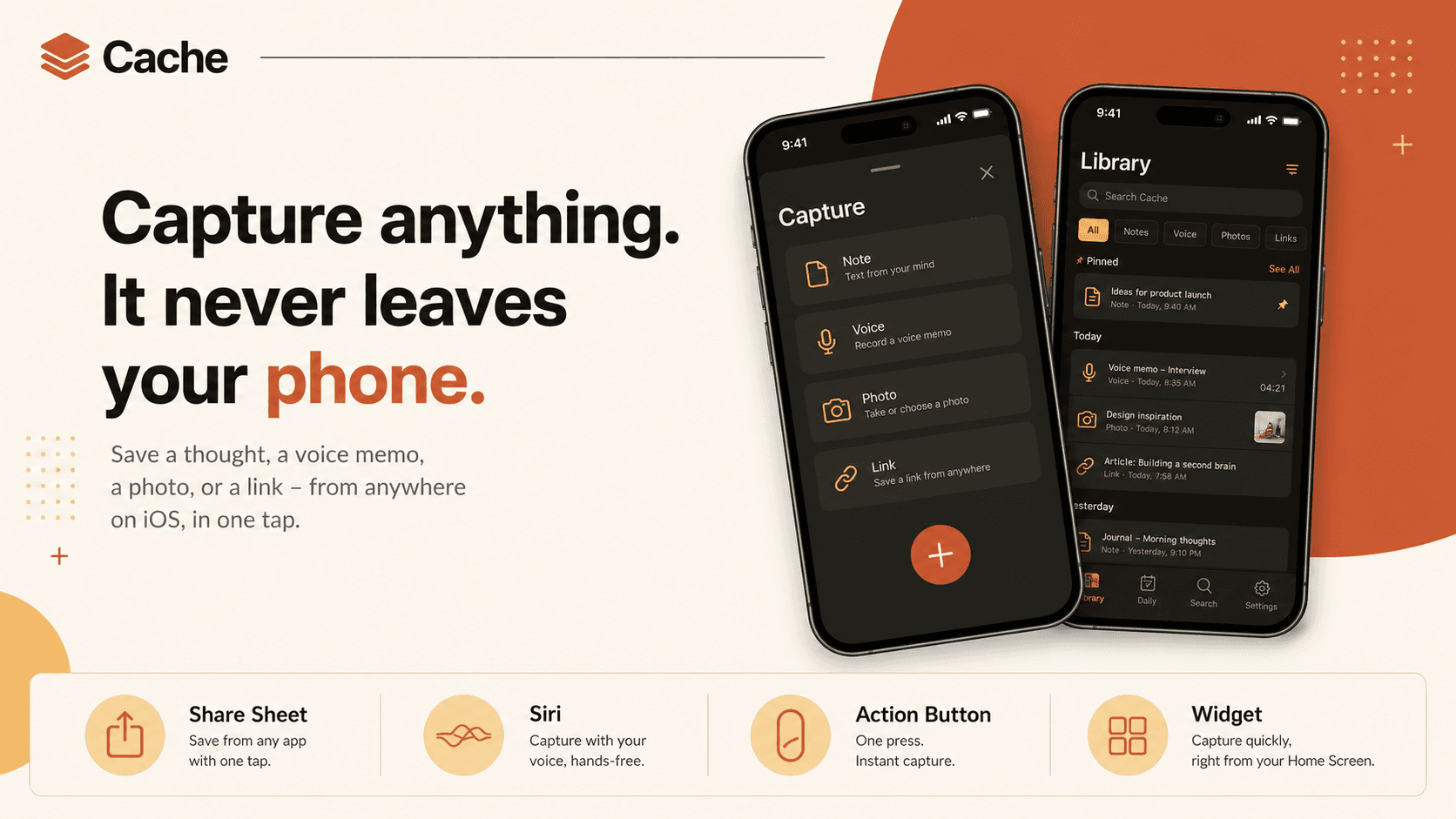
Cache is a native iOS concept for a private 'second brain.' Capture anything - a thought, a voice memo, a photo, a link, a screenshot - from anywhere on iOS, and an on-device model titles, tags, summarizes, and connects it so you can resurface it in plain language later. There is no account and no server: the intelligence runs on Apple's on-device models, so the most private data you own never leaves your iPhone. A product and design concept exploring how good an everyday capture tool can feel when nothing leaves the device.
- Type
- Native iOS App · Concept
- Role
- Solo Concept - Product Design + iOS
- Built
- 2026
- Client
- Personal concept
The idea
The deal every note app quietly offers is the same: hand us your private thoughts, and we'll sync them everywhere. Your half-formed ideas, the screenshot you didn't want anyone to see, the voice memo you recorded in the car - all of it living on someone else's servers so it can show up on your laptop.
Cache takes the other side of that deal. The bet is simple: on-device models are now good enough that a 'second brain' doesn't need the cloud to be smart. If the phone in your pocket can title, tag, summarize, and connect what you capture, then the most private data you own never has to leave it.
So Cache is a concept built around one hard constraint - nothing leaves the device - and the question hiding inside it: how good can an everyday capture tool actually feel when you hold that line?
Capture anything, from anywhere
The first job of a second brain is to get out of the way at the moment of capture. If saving a thought takes more than a second, you won't do it, and the whole tool is worthless.
Cache captures from wherever you already are. A Share Sheet extension grabs a link, an article, or an image from any app. The Action Button or 'Hey Siri, cache this' drops in a thought hands-free. A Home Screen and Lock Screen widget opens straight to a capture sheet. Inside the app, one box takes text, dictation, a paste, or a photo. No folders to choose, no fields to fill - just in.
Everything else the app does happens afterward, automatically, so capture itself stays a single tap.
Understood on your device
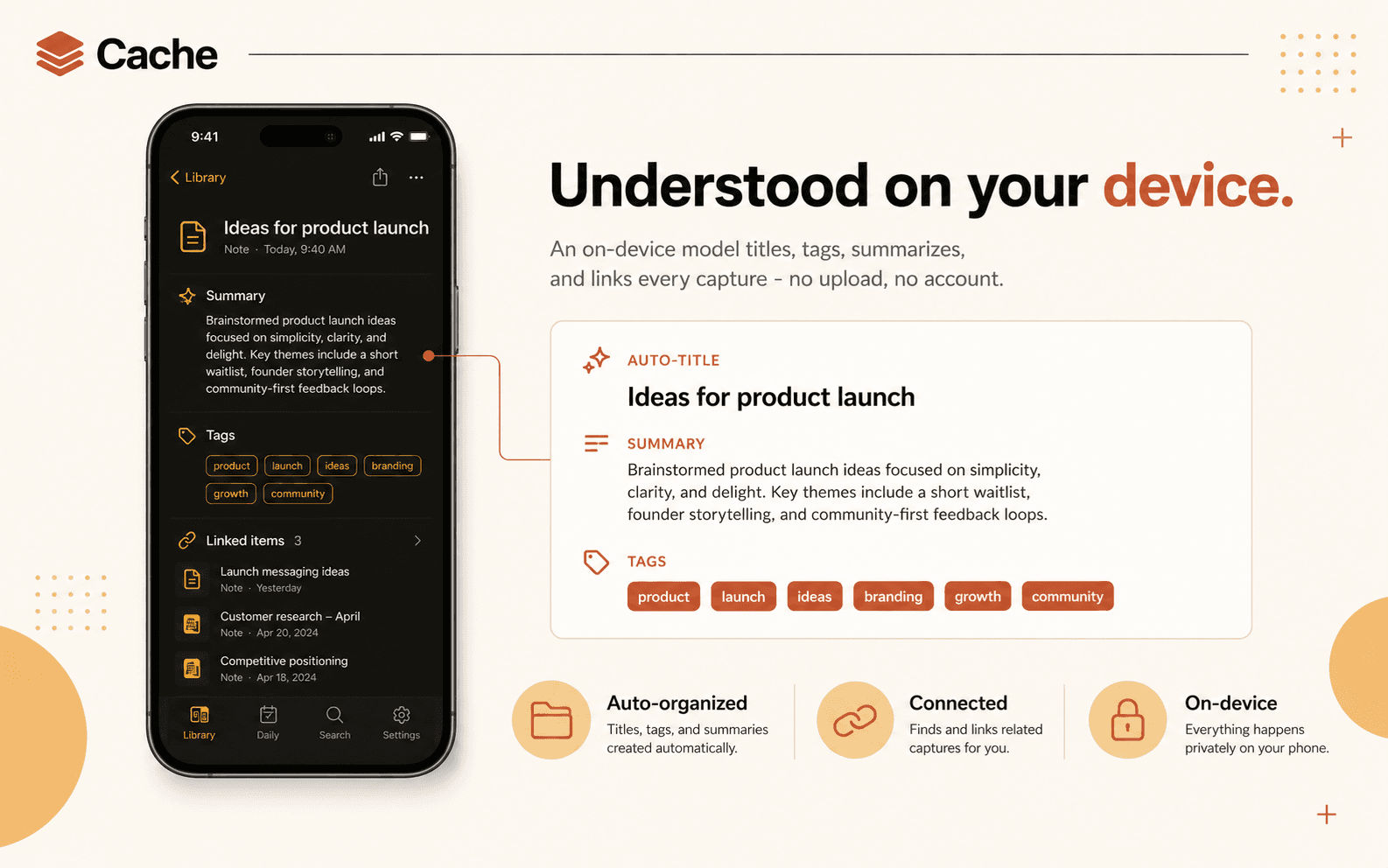
A pile of unsorted captures is just a worse Notes app. What makes Cache a second brain is that an on-device model reads each item the moment it lands and does the filing for you: a clear title, a short summary, a few tags, and links to related things you've saved before.
All of it runs locally on Apple's on-device models - no upload, no account, no 'analyzing in the cloud' spinner. The understanding is stored alongside the item, so it works offline and stays yours.
The result is a library that organizes itself, without you ever naming a single note.
Resurfaced when you need it
Capture is only half the value; the other half is getting something back out at the right moment. Cache is built to recall, not just store.
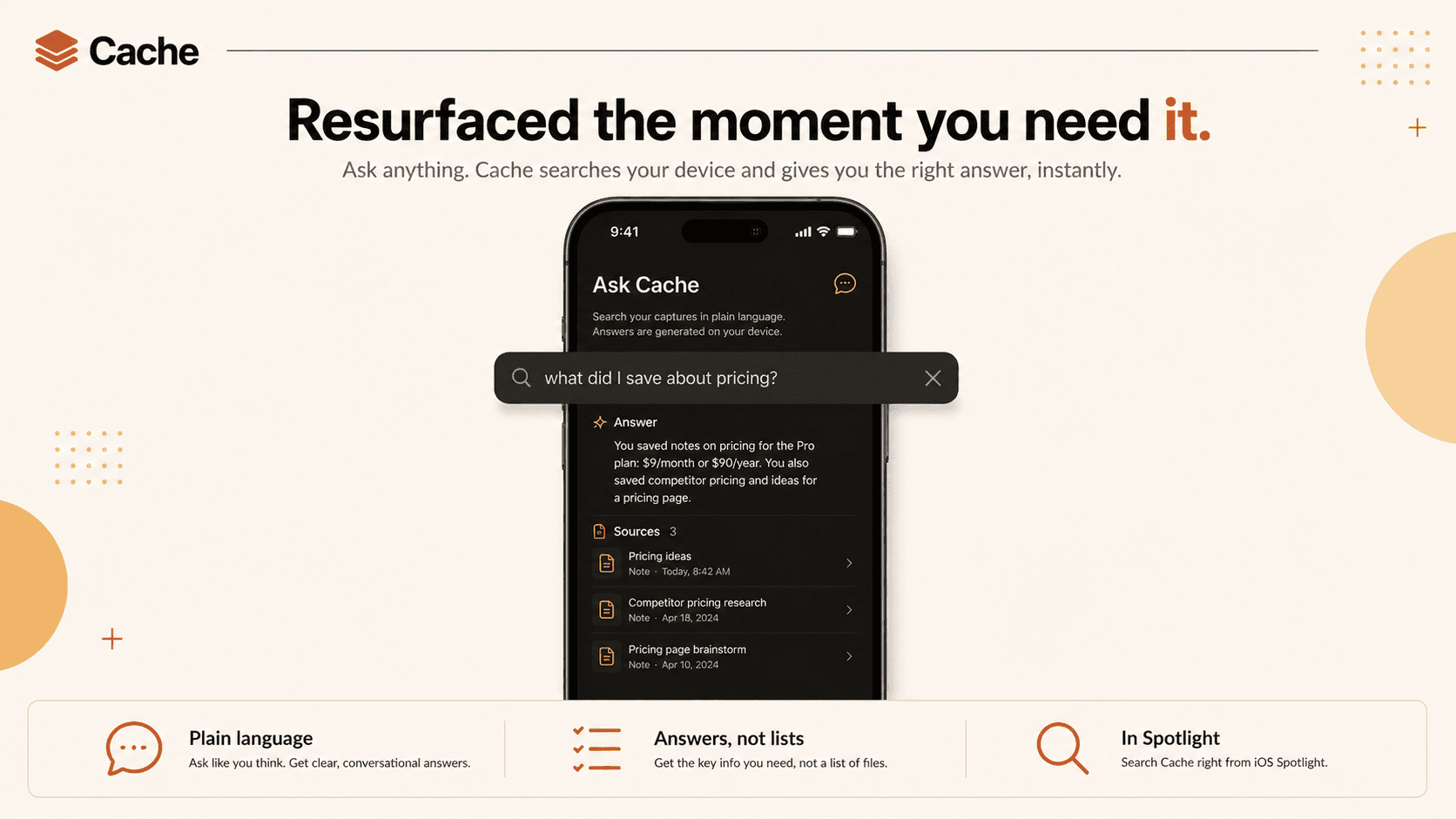
Search works in plain language - 'that article about sleep', 'the receipt from June', 'what did I save about pricing' - because every item carries on-device embeddings, so it matches meaning rather than just keywords. Results show up in Spotlight too, so you can find a capture without even opening the app.
And because the model already understands your library, Cache can answer, not just list: ask a question and it pulls the relevant captures together into a short, sourced reply - still entirely on-device.
It lives all over iOS
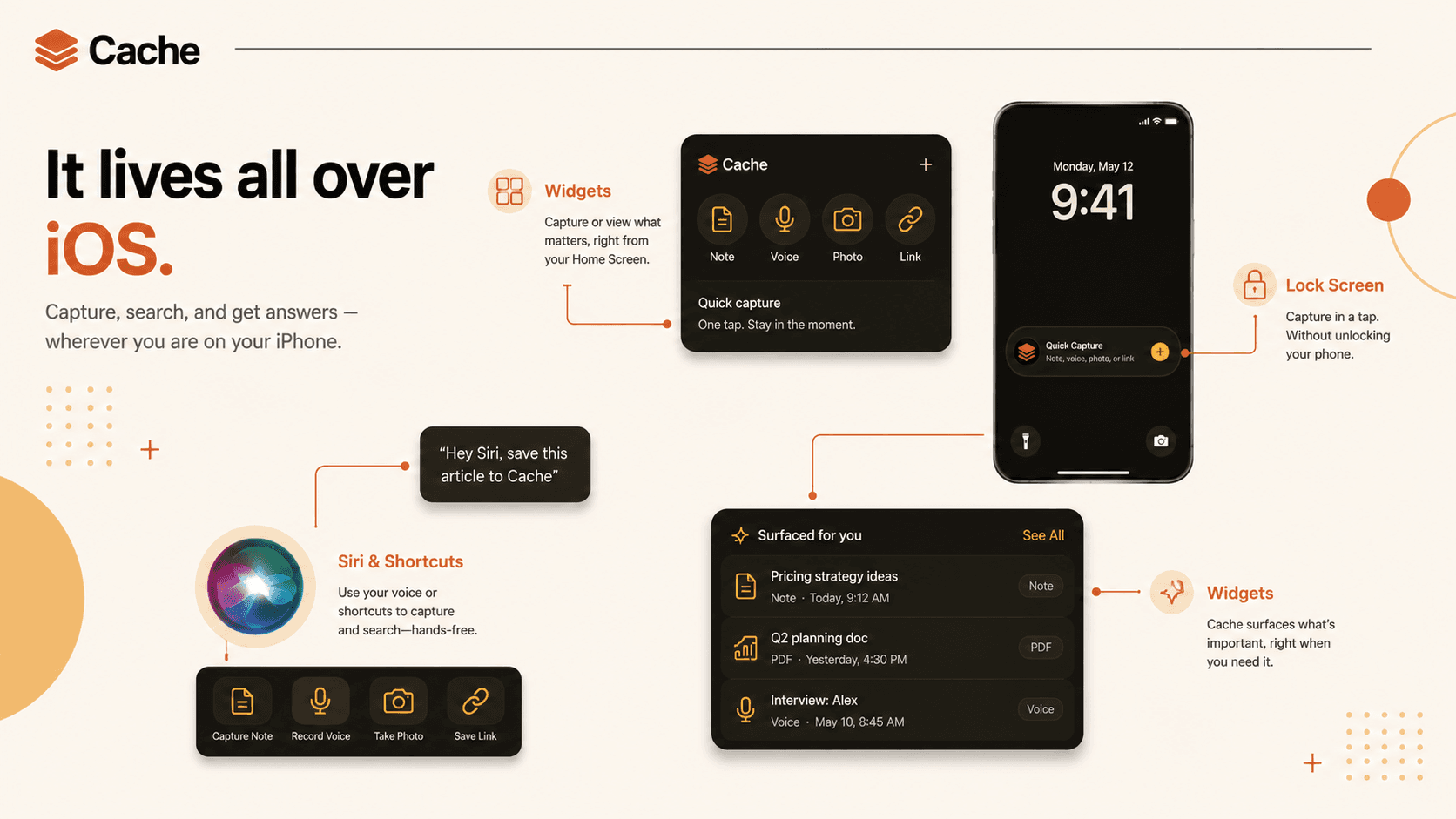
Cache isn't an app you have to remember to open; it's ambient. It shows up in the places iOS already puts the things you use most.
Widgets surface a relevant capture on your Home Screen and a one-tap capture button on the Lock Screen. App Intents put every action into Siri and Shortcuts, and onto the Action Button. A 'surfaced for you' widget quietly brings back something worth seeing again - a note from last year, an idea tied to where you are now.
Building on the platform instead of around it is the whole reason to go native: the app disappears into the phone.
Private by construction
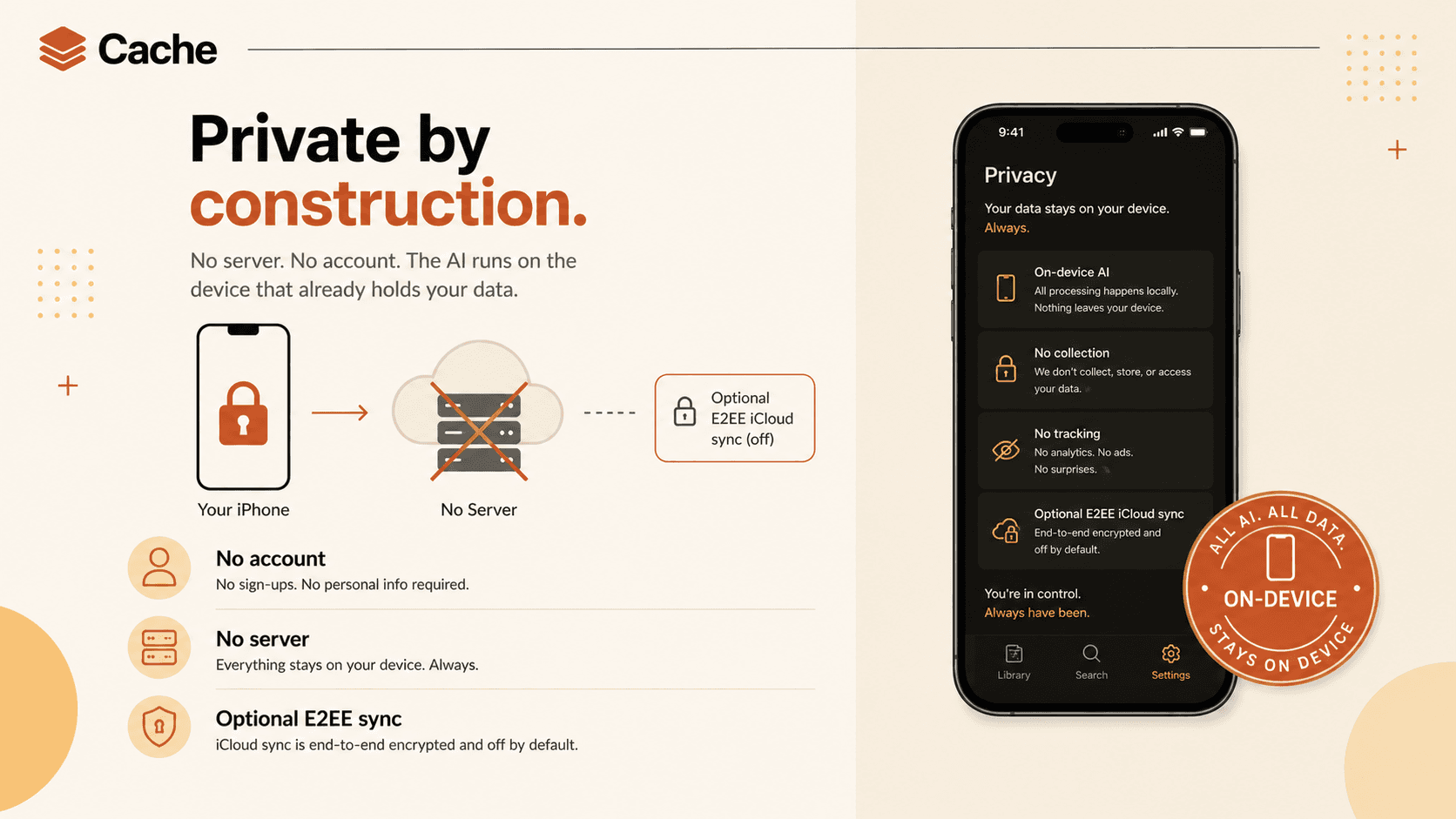
Privacy here isn't a policy page; it's the architecture. There is no server to send your data to and no account to create, because the intelligence runs on the device that already holds the data.
What leaves your phone is nothing. If you want your captures on more than one device, an optional sync rides on end-to-end-encrypted iCloud - so even then, no one, not even the sync, can read them.
It's the same instinct behind my other work: the trustworthy version of a feature is the one you can verify. Here you can verify it because there's simply nowhere for the data to go.
Under the hood
Cache is a native SwiftUI app for iOS. The intelligence is Apple's on-device stack - the Foundation Models framework for titling, tagging, and summarizing, the Vision and Natural Language frameworks for images and text, and on-device embeddings for semantic search - so every 'smart' moment runs locally.
It leans on the platform everywhere it can: App Intents expose actions to Siri, Shortcuts, and the Action Button; a Share Extension captures from any app; WidgetKit drives the Home and Lock Screen widgets; Core Spotlight indexes captures for system-wide search; and SwiftData keeps the local store. The only optional network path is an end-to-end-encrypted CloudKit sync, off by default.
No backend, no API keys, no account system. For a privacy-first concept that isn't a limitation - it's the design.
What it explores
Cache is a product and design concept, not a shipped app - a way to think through one bet end to end: that on-device AI is finally good enough to make 'keep everything, privately' a pleasant daily habit rather than a compromise.
What it's really testing is whether 'private' and 'smart' still have to trade off. The premise is that on a modern iPhone they don't, and the design here is what taking that answer seriously looks like.
Even
Split expenses with anyone, settle up in a tap - so everyone ends up even.
Mobile App · iOS & AndroidHave a project in mind? Let's build it.
I'm available for freelance projects, and open to the right full-time role.
I build web apps, SaaS, and MVPs for founders and startups. Tell me what you're working on.